What actually happens when you chat with AI
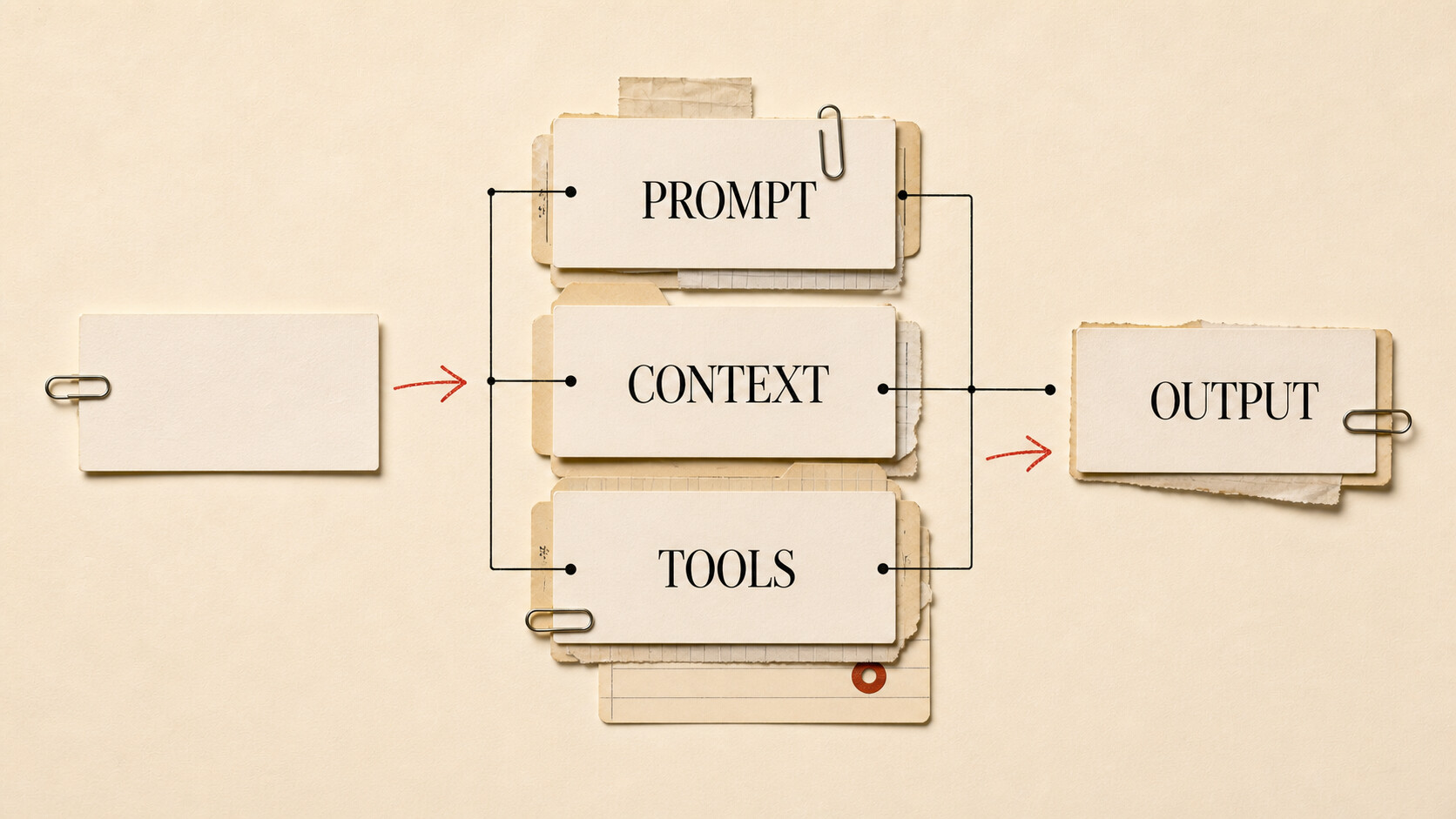
The text you type into an AI chat is not the entire prompt. It may not even be most of it.
A modern chat product can add system instructions, earlier messages, saved preferences, attached files, search results, and tool descriptions before the model responds. Understanding that stack is more useful than collecting magic phrases for prompts. The short definitions are in the AI glossary; here we will follow the machinery.
| Level | What you should understand |
|---|---|
| Beginner | A chatbot is a product. Your message becomes part of a prompt, and the model returns an output. |
| Intermediate | Conversation history, files, projects, memories, and tools all compete for room in a finite context window. |
| Advanced | Long context can be compressed or poorly used. Hallucinations have several causes, and multimodal ability varies by task. |
| Go deeper | Compare clean and long chats, ask an agent to improve its own prompt, and test complex work with explicit approval gates. |
One message, several layers
Suppose you type: “Update the launch brief using last week’s customer interviews.”
The application first adds instructions set by its developer. These may define the assistant’s role, available tools, safety rules, response format, or what it should do when information is missing. You usually cannot see them.
It can then add the conversation history and saved memory. If you are working in a persistent project, it may include project instructions or search project files. Your interview notes might be inserted in full, or the application might retrieve only passages judged relevant. If a tool is available, the prompt also describes how the model can request it.
The model processes this assembled context and produces output. That output might be prose shown in the chat. It could instead be a structured request to open a file or search a folder. The application runs the requested tool, returns the result to the model, and lets it continue.
So the visible exchange is only the surface:
product instructions + history + memory + files + tool results + your message
  → model
  → output
This explains why “I used the same prompt” is often not a controlled test. Two accounts can have different memories. A project chat has files that a blank chat lacks. Search results change. Products update hidden instructions and may route requests to different models.
Context is the model’s working material
Context is everything available to the model for the current response. It is not the same as training. A document in context can influence the next answer without changing the model’s weights.
Every model has a context window: the maximum number of tokens it can consider at once. The exact accounting varies by API and product, but instructions, messages, documents, tool results, and often the requested output all consume space.
A large window helps, but capacity is not comprehension. If you dump a hundred files into a project without explaining which one governs the current task, the model can still follow an outdated example or miss a key exception. Relevant information can be buried among repeated logs and abandoned drafts.
Agent products deal with long-running work by managing context. They might summarize old exchanges, keep a work log, retrieve only relevant files, or discard low-value tool output. This is called context compaction. It keeps the task moving, though summaries can omit a decision that later becomes important.
When a conversation starts behaving as if it has acquired strange habits, inspect the history. A clean chat with a concise brief often works better than another five corrective messages piled onto the old one.
Memory is saved context, not human recall
Memory is information stored outside the current context and brought back later. It may include your preferred tone, a recurring project detail, or a summary of past work. The product has to decide what to save, when to retrieve it, and how to phrase it for the model.
That makes memory fallible in different ways from the model. It can preserve an old preference after you change your mind. It can retrieve a detail in the wrong project. It can save a guess as though it were a decision.
Use memory for stable preferences and recurring facts. Put authoritative requirements in the project itself. If “all customer exports require legal review” matters, it belongs in a visible instruction or source document, not solely in an invisible convenience feature.
Why hallucinations happen
A hallucination is confident-looking output unsupported by evidence or reality. The word covers several failure paths:
- The model answers from learned patterns when it does not know the fact.
- The correct source never reached the context.
- Retrieval selected a nearby but wrong passage.
- A long conversation buried or compressed the relevant instruction.
- The model misread a source that was present.
- A tool failed, and the system continued from incomplete results.
The remedy depends on the cause. “Be accurate” cannot repair a broken document search. Adding more documents cannot fix a calculation that should have been done with code. Asking for citations helps you inspect an answer, but a model can invent citations too, so follow the links.
For consequential work, ask the system to distinguish what came from supplied sources, what it inferred, and what remains unknown. Verify the important parts against the original material.
Multimodal does not mean equally capable in every mode
A multimodal model can process more than one kind of data, such as text, images, audio, or video. Products use this for reading screenshots, transcribing meetings, describing diagrams, and generating media.
Treat each mode as a separate capability to test. A model that understands a clear chart may struggle with tiny text in a dense screenshot. Audio transcription can lose names. Image generation and image understanding may come from different models inside the same product.
When accuracy matters, provide the original file rather than a screenshot of the file. Include text alongside an image when exact spelling or numbers matter. Then ask the model to identify anything it could not read instead of filling the gap.
Better prompting starts with the outcome
Good prompts are less theatrical than social media makes them sound. Tell the agent what you want, give it the material needed to do the work, describe meaningful constraints, and explain what a successful output looks like.
You do not need to write the final prompt alone. Prompt writing is a task the agent can help with. Try this:
I need to prepare a decision memo about whether we should renew this vendor. Ask me for the missing information, then write a prompt that another agent could use to produce the memo from my files.
The useful part is not a secret incantation. The agent identifies missing inputs and turns an incomplete idea into a workable brief. Read the result, correct its assumptions, and use the revised prompt.
You can also give it a rough prompt and say: “Before doing the work, rewrite this instruction so the goal, sources, constraints, and expected output are unambiguous. Show me the revision.” This is especially useful for a task you will repeat.
Give capable agents more room
People often pre-split a job into tiny steps because they assume the agent cannot hold the whole thing. That can turn the person into a slow task router.
Instead, give the agent a meaningful outcome and a sequence that feels slightly ambitious. For example:
Read the interview notes in this project, identify the three strongest objections to the proposed launch, update the brief with evidence, and create a short list of open questions. Inspect the files first and show me your plan. Do not send or publish anything.
The agent may surprise you. If its plan is good, let it work through the sequence. If it misunderstands the goal, correct the plan before it changes anything.
This is not an argument for blind autonomy. Consequential actions need checkpoints. Require approval before sending messages, making purchases, deploying software, deleting files, changing permissions, or publishing. A useful rule is to grant freedom in analysis and drafting, then place gates around actions that affect other people or are hard to reverse.
Files and projects beat prompt ornamentation
If an agent lacks your pricing sheet, another adjective in the prompt will not help. Context design often matters more than wording.
Attach the authoritative source. Keep related work in a project with a clear instruction file. Provide a strong example of the output you want. In coding work, let the agent inspect the repository instead of describing every file from memory. For editorial work, include the style guide and a representative published piece.
Also identify precedence. A project with draft-final.md, draft-final-2.md, and really-final.md is an invitation to guess. Tell the agent which file controls, archive stale material, and state what it should do when sources conflict.
For long-running work, ask the agent to maintain a concise decision log. That gives context compaction something reliable to preserve and makes it easier for you to audit what changed.
Three experiments worth trying
Run the same factual task in a clean chat and a long, unrelated conversation. Compare whether old material changes the answer. This makes context contamination visible.
Next, write a one-sentence request for a real task. Ask the agent to interview you and turn it into a reusable prompt. Compare the resulting work with the one-sentence version. Notice whether the gain came from better phrasing or from missing information the questions uncovered.
Finally, assign a multi-step task with files, a requested plan, and explicit approval boundaries. Judge the plan before judging the finished work. You are testing how much of the workflow the agent can manage, not whether it can guess requirements you never supplied.
The durable lesson is simple: prompting is not the art of controlling every token. It is the work of defining an outcome, supplying trustworthy context, and deciding where the system must stop for judgment.
Next: how AI finds information, reasons, and changes behavior.