Everything you need to know about AI
To sound like you know what you're talking about
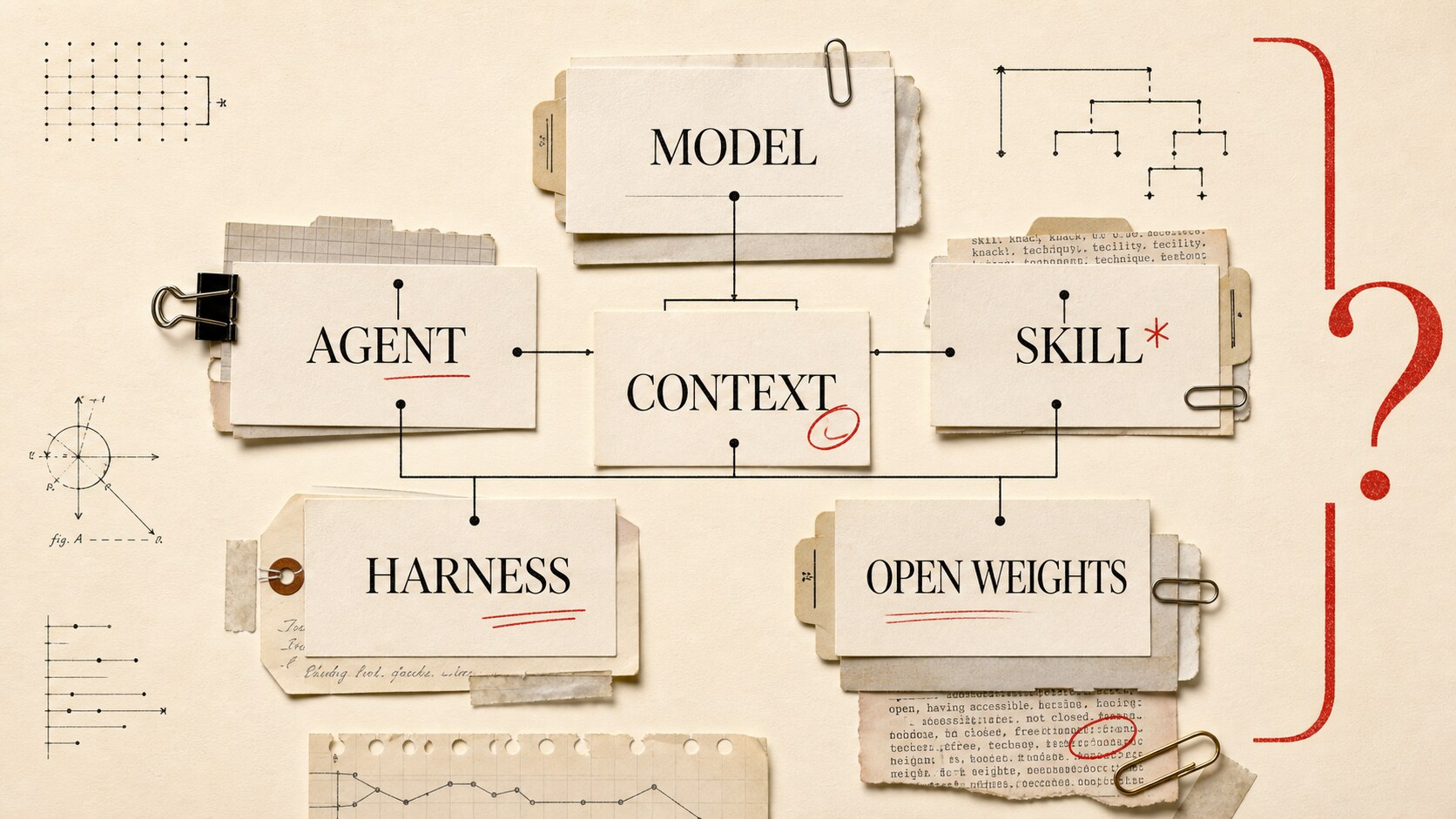
AI has produced an impressive amount of new vocabulary, much of it coined by people who would prefer that you not ask what it means.
You don’t need to know the mathematics behind a transformer to follow most conversations about AI. You do need to know that a model is not the same thing as a chatbot, an agent is more than a prompt, and “open” may come with an asterisk the size of a server rack.
This is the glossary I wish somebody had handed me. Start with the basic section. If you can explain those terms without peeking, continue until the words stop being useful to you. There is no prize for making it to the end.
Basic: what everybody needs to know
Artificial intelligence (AI)
AI is the broad name for computer systems that do things we associate with human intelligence, such as understanding language, recognizing images, making predictions, or planning. A spam filter and ChatGPT both count as AI even though they have little else in common. These days, people often say “AI” when they specifically mean generative AI.
Generative AI
Generative AI creates text, images, audio, video, or code in response to an instruction. Older AI systems often classified or predicted: is this transaction fraud? What movie might this person like? Generative systems produce something. The boundary isn’t perfect, but it helps.
Model
A model is the part that learned patterns from training data and uses them to produce an answer. Think of it as the engine rather than the whole car. It doesn’t include the chat screen, your account, the search button, or every tool the product can use; companies often put several models inside one product.
Large language model (LLM)
An LLM is a model trained on a large amount of language. It generates text one token at a time, predicting what should come next from the current context. That sounds like autocomplete, which is true but incomplete: at sufficient scale, next-token prediction produces writing, translation, code, summaries, and behavior that looks like reasoning. It doesn’t give the model a database of perfectly stored facts.
Chatbot or chat
A chatbot is the product where you talk with a model. ChatGPT, Claude, Gemini, and Grok are the familiar examples. The product may also search the web, remember conversations, run code, create images, or route your question elsewhere. Saying “I used ChatGPT” identifies the product, not necessarily the model that answered.
Prompt
A prompt is the information and instruction given to a model before it responds. Your message is only part of it; the application may add hidden system instructions, saved preferences, files, tool descriptions, and earlier conversation. Identical user messages can therefore produce different answers in different products.
Response or output
The response is whatever the model returns. In an application, the broader term “output” might mean structured data, code, a tool request, an image, or a decision the software handles without showing you.
Token
A token is a small chunk the model reads or writes: perhaps a short word, part of a longer one, or punctuation. Models measure text in tokens rather than pages, and API providers commonly charge for input and output tokens. Tokens also determine how much fits in a context window.
Training
Training is how a model learns. Computers show it enormous amounts of data and adjust numerical values called weights so its predictions improve. Training creates the model; your conversation normally doesn’t retrain it in real time.
Inference
Inference is the work a trained model does when you use it. You send an input, it runs calculations using its existing weights, and you get an output. If training is education, inference is taking the exam.
Hallucination
A hallucination is an answer that sounds plausible but isn’t supported by reality or the information provided. A model may invent a book, misstate a date, or produce a software method that never existed because it generates likely sequences rather than checking every sentence against a ledger of truth. If the answer matters, verify it.
Multimodal
A multimodal model works with more than one kind of data. It might read text and images, listen to audio, or generate video, although the label doesn’t promise equal skill in every mode.
Skill
A skill is a reusable package of instructions that teaches an agent how to handle a job, perhaps reviewing a pull request or editing an article in a specific voice. It can include references, scripts, and templates without changing the model’s weights. The term isn’t standardized, but this distinction holds up: a skill tells the agent how to approach a job; a tool lets it act outside the model.
Intermediate: enough to follow current AI conversations
Agent
An agent lets a model work through a task over multiple steps. It can choose what to do next, call a tool, inspect the result, revise its plan, and continue until it reaches an outcome or needs help. Surrounding software supplies the loop, tools, instructions, state, and stopping rules.
The difference from a chatbot is who controls the sequence of work. In an ordinary chat, the person decides each next step: ask a question, read the response, provide more information, and request another action. An agent receives a goal and controls some of that sequence itself. Give a coding agent a bug report, for example, and it may search the repository, edit a file, run the tests, inspect a failure, and try another fix before returning to you. A chatbot may have tools, and an agent may use a chat window, so the interface isn’t the distinction; the meaningful difference is how much authority the software has to choose and perform the next step without waiting for another prompt.
Agentic
Agentic describes choosing and performing actions toward a goal. It is a spectrum, not a switch. A chat response that suggests terminal commands is barely agentic; software that edits files, runs tests, reads the failure, and repairs its mistake is much more so. Ask what it can actually do without a person driving each step.
Context
Context is all the information available to the model for its current response: instructions, messages, files, memories, and tool results. Models don’t automatically know your project or recall every old conversation. If information isn’t in the weights or current context, the model can’t use it. Many apparent intelligence problems are really context problems.
Context window
The context window is the maximum amount a model can consider at once, measured in tokens. Input and output often share the allowance. A larger window holds more conversation, documents, and code, but relevant information can get buried; agent harnesses may summarize old messages or discard low-value material to make room. That is context compaction.
Memory
Memory is information saved outside the immediate conversation and brought back later: your preferences, a project decision, or a summary of previous work. Software must choose what to store, how to find it, and when to insert it into context. Bad memory systems remember clutter and miss the one decision you needed.
Tool and tool calling
A tool is a function the model can ask the surrounding application to run, such as searching the web, reading a file, or sending an email. The model produces a structured request; the harness executes it and returns the result. Permissions matter because a weather lookup and a bank transfer shouldn’t share approval rules.
Harness
A harness is the software wrapped around a model that turns it into a usable agent. It assembles prompts, manages context, exposes tools, runs the loop, applies permissions, and records state. Two products can use the same model and behave very differently because their harnesses differ, so comparing models by comparing chat apps means comparing two whole systems.
Model Context Protocol (MCP)
MCP gives AI applications a common way to connect with outside tools and data. An MCP server exposes functions, resources, or reusable prompts; the agent application acts as a client. Think of it as a standard plug. It doesn’t make a tool safe or good, only easier to connect.
Retrieval-augmented generation (RAG)
RAG means finding relevant information and adding it to the prompt before the model answers. A company assistant might fetch the vacation policy, then give matching passages to the model. The weights don’t change; the application augments the context. Poor search still yields poor answers.
Reasoning
Reasoning is the work between question and answer: breaking a problem apart, checking intermediate results, or planning several moves. Some models spend more computation before answering; some agent systems make the model critique its work or call tools. The term doesn’t prove that a model thinks like a person.
Embedding
An embedding is a list of numbers representing the features of some data. Texts with similar meanings tend to sit near each other mathematically, which makes embeddings useful for semantic search. A query for “parental leave” can find “new child policy” without matching the exact words.
Fine-tuning
Fine-tuning continues training an existing model on a smaller, purpose-built dataset. It can teach a format, tone, domain pattern, or behavior. Fine-tuning changes weights; a system prompt, skill, or RAG database doesn’t. Frequently changing policy documents usually belong in retrieval, not baked into the model.
Advanced: terms used in agent development
Frontier model
A frontier model sits near the leading edge of general AI capability at a particular moment. There is no official score or permanent membership card. “Frontier” expires quickly; yesterday’s leader becomes next year’s cheap default.
Frontier agent
A frontier agent combines a highly capable model with a sophisticated harness, tools, and enough time to attempt work that older systems couldn’t reliably finish. The model alone doesn’t earn the label. Put a brilliant model in a brittle harness and you get an expensive failure generator.
Eval
An eval is a repeatable test of an AI system. It supplies tasks and judges the outputs using rules, human review, another model, or a mix. Useful evals resemble the work you care about; fifty carefully chosen customer questions may tell your company more than a famous academic test.
Benchmark
A benchmark is a shared test used to compare models and systems. Scores can expose strengths, but they also invite gaming, contamination, and overfitting. Read the small print: did it test the raw model, a chat product, or an agent with tools, and how much compute did each run receive?
Inference-time compute
Inference-time compute is the computing effort spent while a model handles your request rather than during training. It might reason longer, try several solutions, or have another model judge candidates. More can help on hard tasks, but it costs money and time. You don’t want five minutes of planning behind a reply to “thanks.”
Reinforcement learning (RL)
Reinforcement learning trains a model or agent using rewards tied to behavior or outcomes. RLHF uses human feedback; other methods use automatically checked results, such as whether code passed tests. A bad reward can teach strange shortcuts, known as reward hacking.
Computer use
Computer use lets an agent work through screenshots, mouse clicks, scrolling, and keyboard input. It helps when no clean API exists, but pixels make a clumsy control surface: buttons move, dialogs appear, pages load late. Direct tools are usually more reliable.
Sandbox
A sandbox is an isolated environment where an agent can run commands or modify files without unrestricted access to the rest of a computer or network. It limits damage but can’t remove the risk of sending messages, exposing secrets, or deploying bad code.
Subagent
A subagent handles a smaller part of a larger job in its own context, then returns findings or changes to a coordinating agent. That helps with independent tasks. Split one tightly connected problem among ten agents, though, and you may get ten confident fragments that don’t fit.
Multi-agent system
A multi-agent system coordinates agents with different roles, tools, contexts, or models. The division can improve speed or catch errors; it can also become an org chart drawn on top of a job one good agent could have finished. More agents don’t guarantee more intelligence.
Autonomy
Autonomy describes how far an agent proceeds without human approval. One coding agent may propose a patch and wait; another might edit files, run tests, and open a pull request before checking in. Useful autonomy depends on permissions, reversibility, and the cost of failure. Renaming local variables isn’t issuing refunds.
Going deeper: the wider AI ecosystem
Companies reuse the same name for a lab, model family, app, and API; somebody then connects one company’s model to another developer’s harness and calls the combination a new agent.
Four categories clear up most of the confusion:
- A model is the trained numerical system that produces outputs.
- A provider hosts models and gives people or software access, often through an API.
- A product is the application a person uses, such as a chat website or coding assistant.
- A harness is the surrounding software that manages the model, context, tools, loop, and permissions.
One company may own all four layers, while product names often double as model-family names. Ask which layer somebody means.
Closed models, open weights, and open source
A closed model is available only through its owner’s product or API. An open-weight model makes its learned parameters downloadable under a license, which may let you run it, fine-tune it, or host it. Downloading a huge model remains much easier than running it well.
Open weights does not automatically mean open source. The Open Source Initiative argues that weights alone leave out pieces needed to study, modify, and recreate an AI system, including training code and adequate information about the data. Licenses may restrict commercial use or particular activities too. Read the model card and license instead of trusting the adjective “open.”
Local models and hosted APIs
Running locally means inference happens on hardware you control. It can improve privacy, work offline, and avoid per-token charges. You take on the hardware and maintenance, often for less capability than the largest hosted systems. Local isn’t private if the harness still sends queries, telemetry, or tool data outside.
A hosted API makes somebody else operate the hardware. You pay for use and accept the provider’s terms, rate limits, updates, and data-handling rules. Often, that is a sensible bargain.
The familiar products
ChatGPT comes from OpenAI, Claude from Anthropic, Gemini from Google, and Grok from xAI. Their names also refer to model families, and their features change constantly. The app, chosen model, account plan, tools, and settings all shape the answer.
Other model families
The market is much bigger. DeepSeek develops its own models; Kimi comes from Moonshot AI, Qwen from Alibaba’s Qwen team, Llama from Meta, and Mistral models from Mistral AI.
Many releases in these families have downloadable weights; other releases or services remain closed. Do not assume that one license, context size, or capability applies to every model carrying the family name. The version’s model card is the source that matters.
Alternative does not mean second-rate, and open weight does not mean small. These families compete with closed models and give developers somewhere to go when a provider changes prices, access, or terms.
Alternative harnesses
The model needs somewhere to work. OpenCode is an open-source coding agent available in the terminal, as a desktop app, and in an editor. It can connect to different model providers, so changing the engine doesn’t require replacing the whole workshop.
Hermes Agent from Nous Research is a broader personal agent with tools, memory, skills, messaging integrations, and several ways to run its work. It isn’t limited to coding or to one model provider.
OpenClaw takes a similar general-purpose route. Its runtime assembles prompts, runs an agent loop, and connects tools. “Harness” remains a useful category for these projects because each supplies machinery around a replaceable model, even if its makers prefer “agent” or “runtime.”
Claude Code and Codex are harnesses too, although their makers also build the models commonly used underneath them. The category describes what the software does, not whether it comes from an independent developer.
Choosing a model and harness
There is no universal best combination. Start with the job and its constraints.
Private documents may favor downloadable weights and offline inference. Coding work depends heavily on tool use and recovery from failed commands; high-volume support may care more about cost and latency than the last bit of benchmark performance.
And test the combination, not the model in isolation. The same model can look brilliant in one harness and strangely helpless in another because the prompt, tools, permissions, and context management changed around it.
What people usually mean when they say…
“We should add AI.” They have named a technology category, not a problem or feature. Ask what the user should be able to do afterward.
“The model knows our documentation.” The system probably retrieves documents and puts them into context. Ask how retrieval works, how current the source is, and whether answers include citations.
“It’s an agent.” The software can probably take multiple steps or use tools. Ask which actions it can take, where it must request approval, and how it knows when to stop.
“We need a bigger context window.” Maybe. The actual problem could be poor retrieval, bloated instructions, or a harness that keeps the wrong history.
“This model won the benchmark.” It scored well under a particular test setup. Ask whether that setup resembles the work you care about and whether the comparison included the same tools and compute.
“It’s open source.” It may only have downloadable weights. Ask for the license, training code, data information, and model card.
“The agent will learn over time.” It may save memories, create skills, fine-tune a model, or merely retain chat history. Those are different mechanisms with different failure modes.
You don’t need to memorize all of this. Learn the category boundaries, ask what layer somebody means, and be suspicious whenever one impressive adjective has to carry the whole explanation. That will get you through most AI conversations just fine.
Deep dives
This glossary is the map. The articles below take each group of terms apart and put it back together through practical examples: